Hướng dẫn nhanh
Welcome to this basic guide on how to get started with the National Expended Program on Immunization (NEPI)
In this guide, we'll show you how to register for an account, take a course
1.Register for a NEPI account
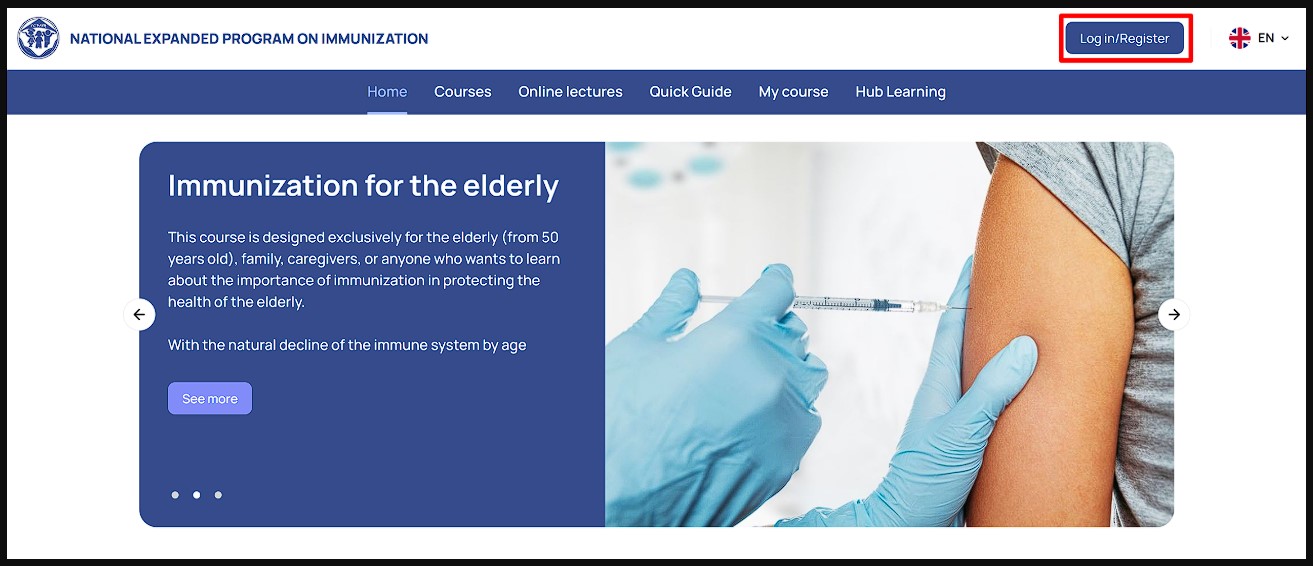
To start a course on NEPI, you'll need to first register for an account. Follow these steps to create a NEPI account:
Go to NEPI homepage
Click the Log in button to sign in and register for a user account.
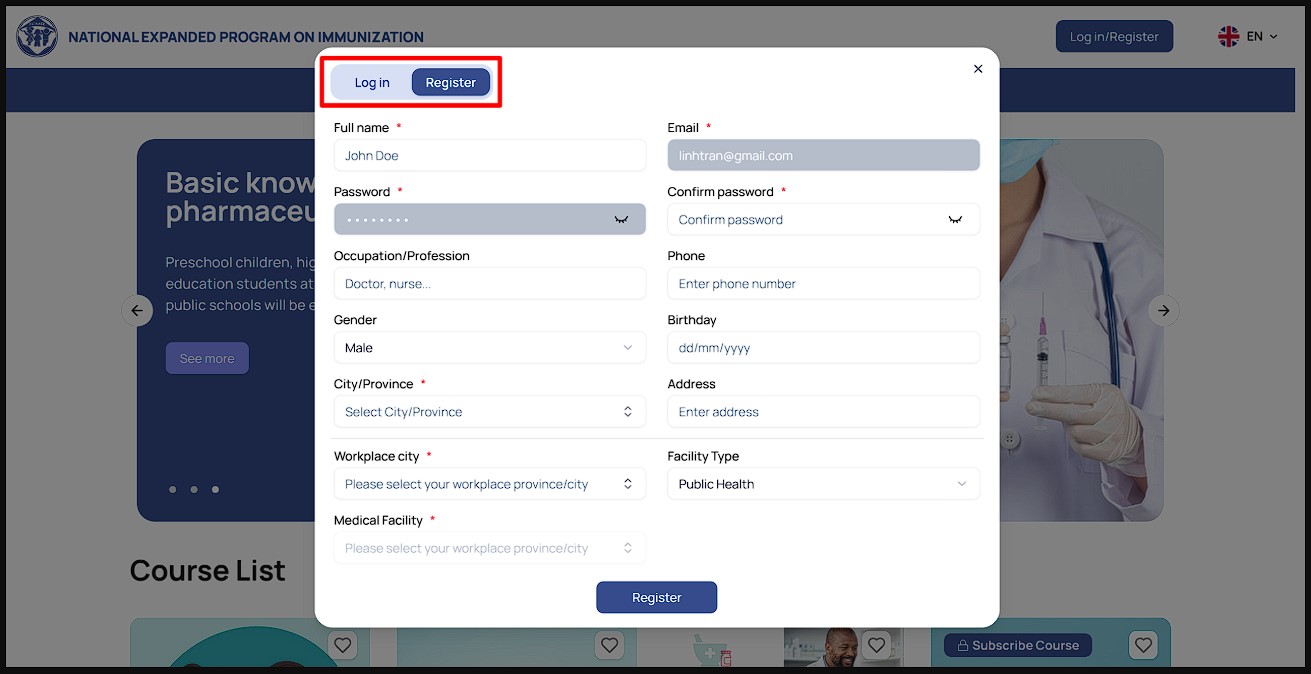
Fill in the account registration form and click Register at the bottom of the page to create your account.
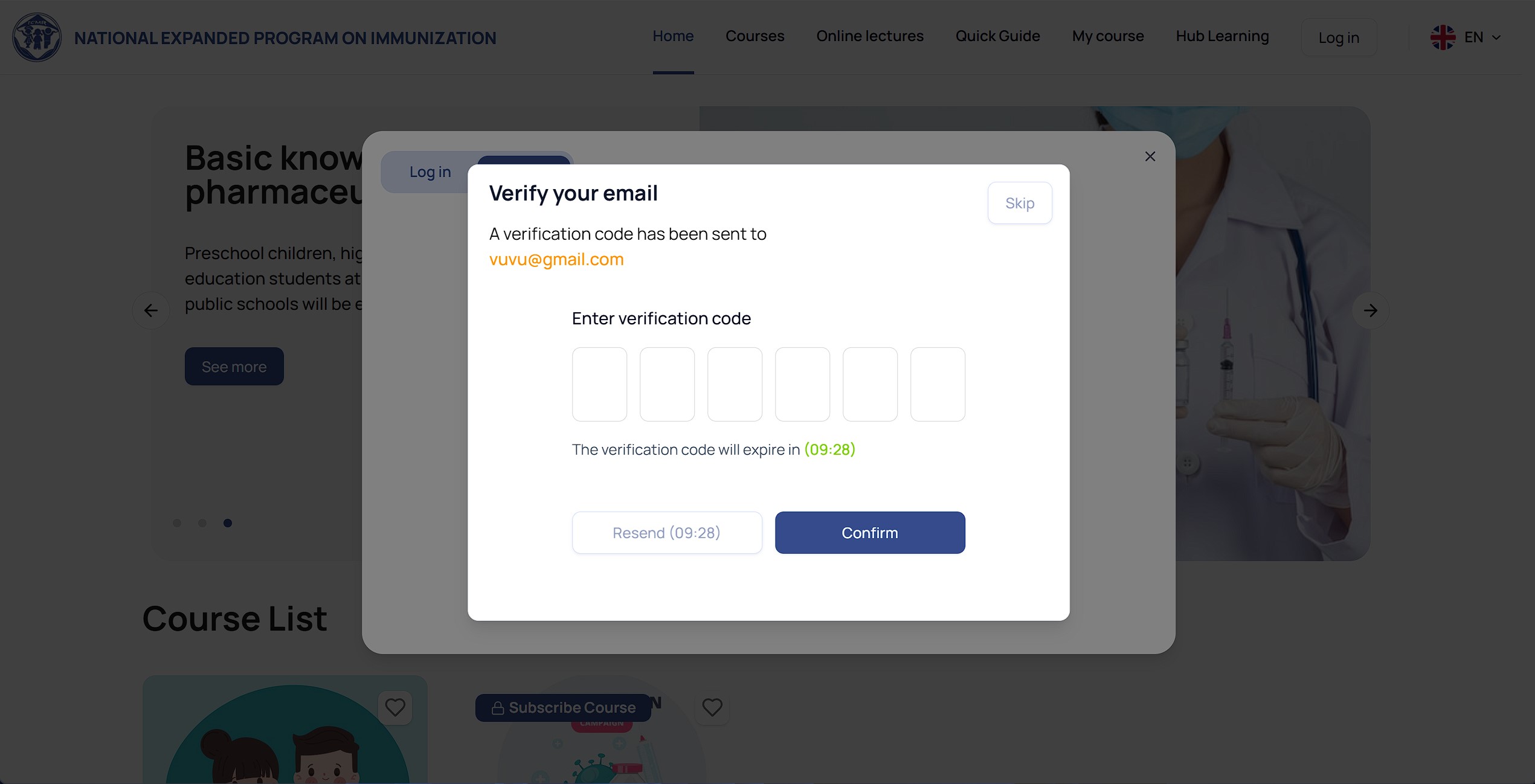
After you register, the system will send a verification code to the email address you used for registration.
If you already have a NEPI account, click Login to sign in to your user account.
2. Take a course
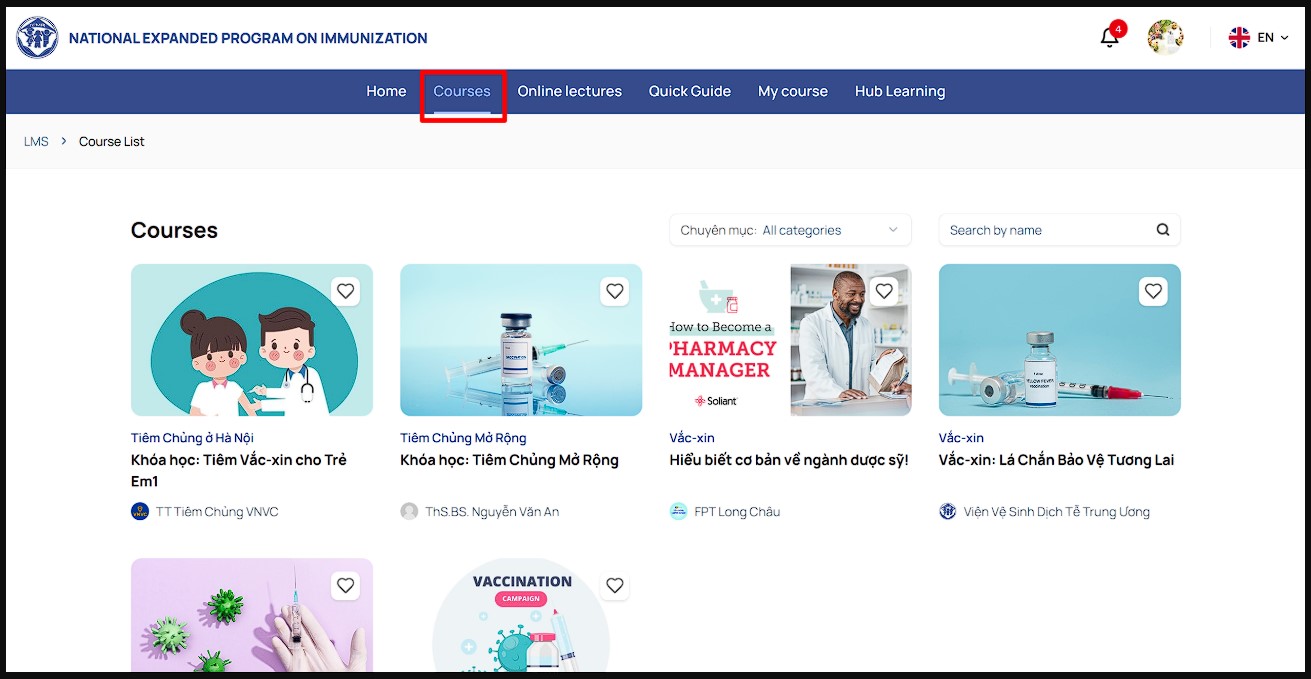
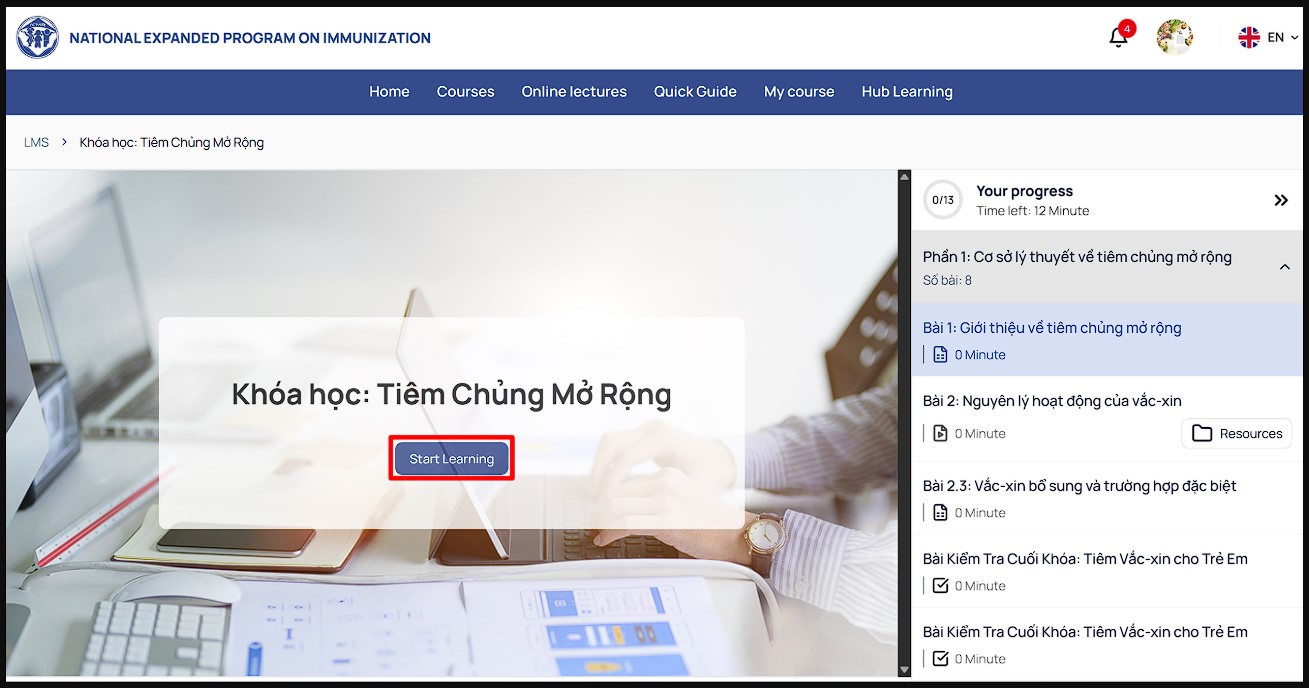
To take a NEPI course, you must be logged into your NEPI account. You can find course in the Course List. Follow these steps to find a course and get started:
Click COURSES on the menu bar to view the list of courses.
Click the name of the course you’re interested in.
Once you're on that course's detail page, click the Start Learning button.
3. Course Registration
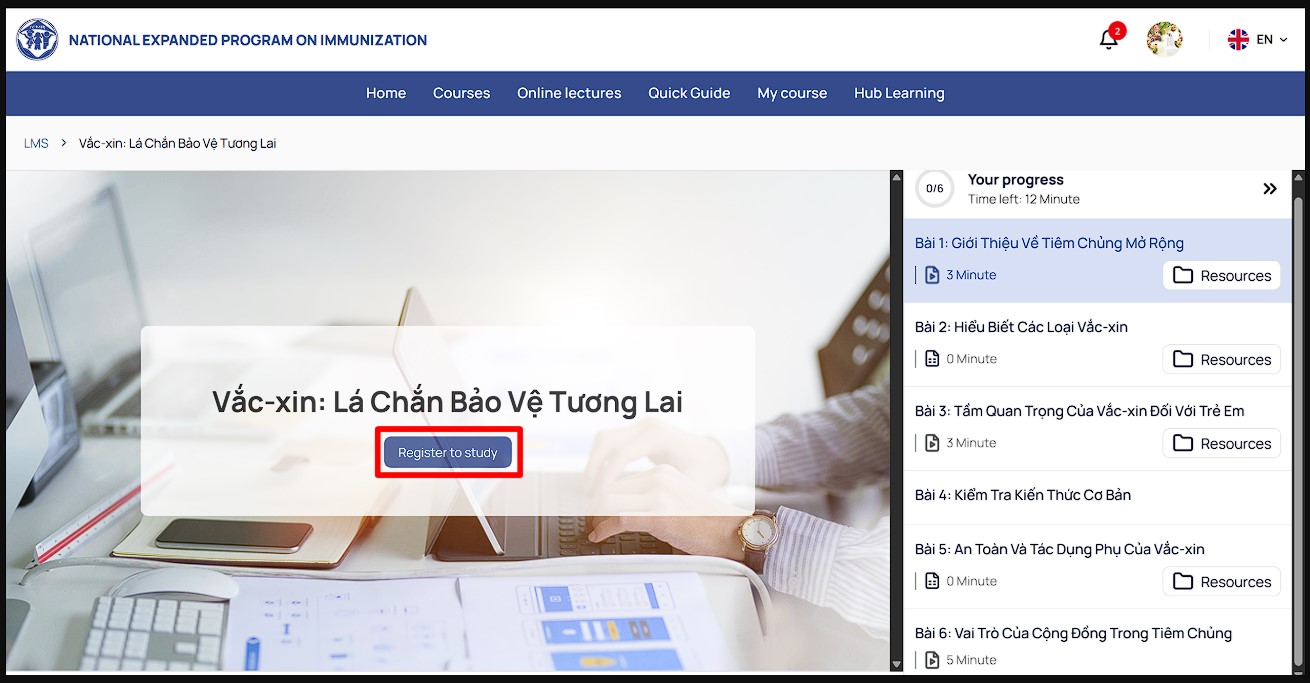
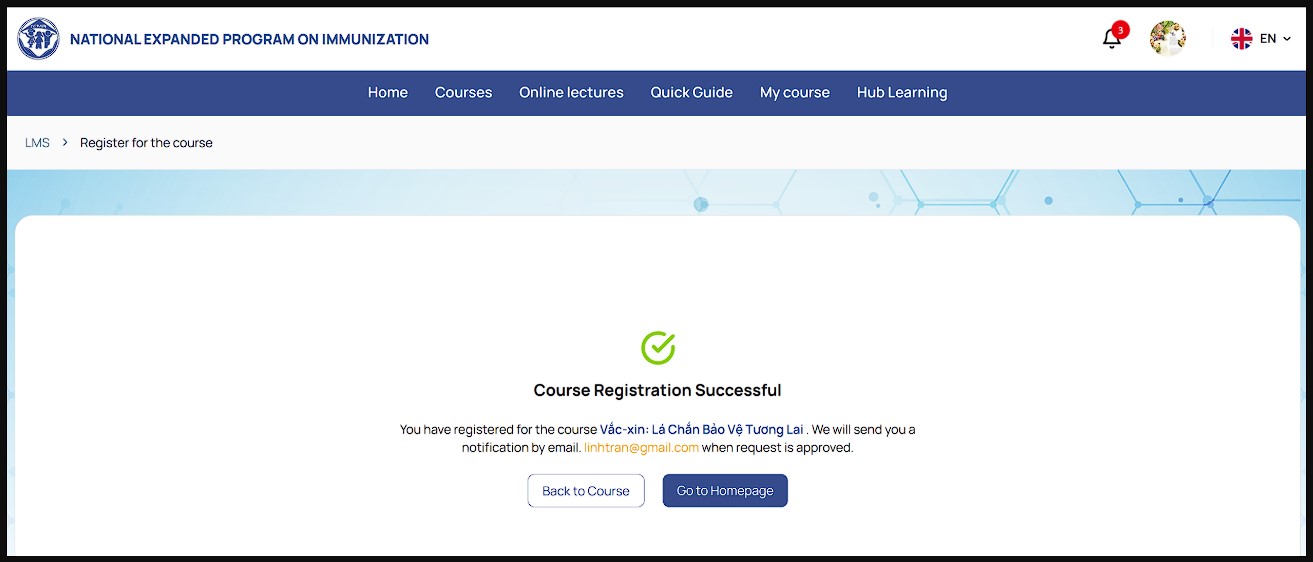
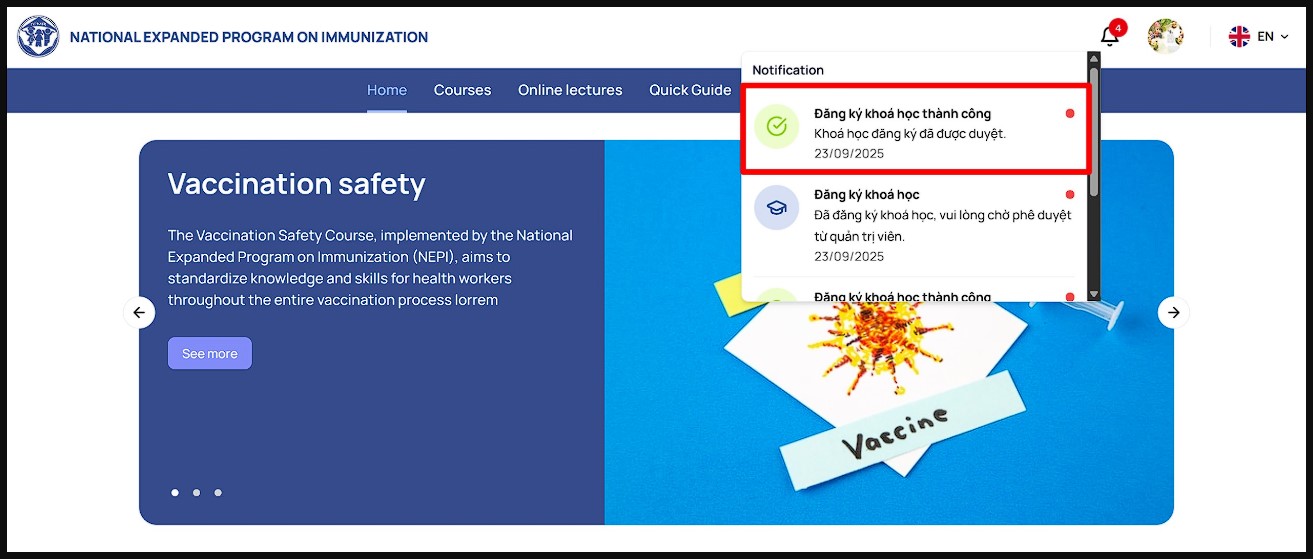
For courses that require registration, please register to get approval.
Click on the name of the course you are interested in.
Click the Register button.
Users will receive a notification when the course is approved.
4. Online Lectures
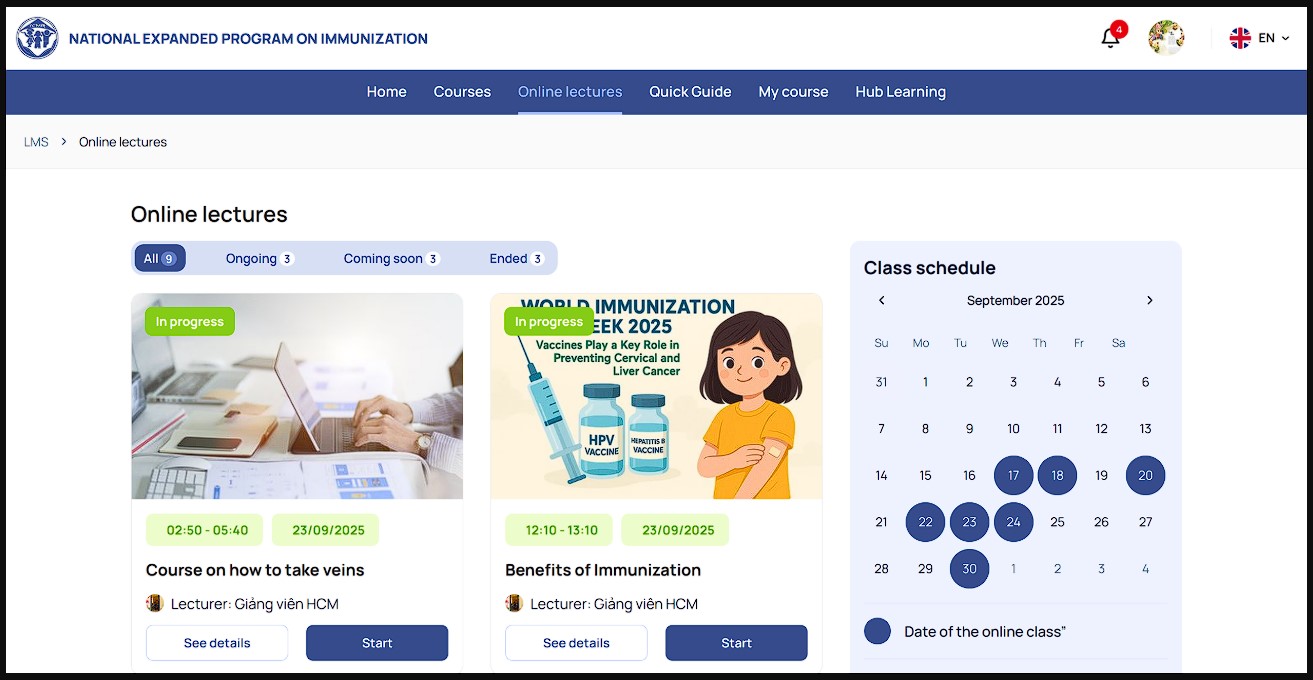
To join an online lecture, you can find it in Online Lectures and start participating.
Click ONLINE LECTURES on the menu bar to see the list of lectures.
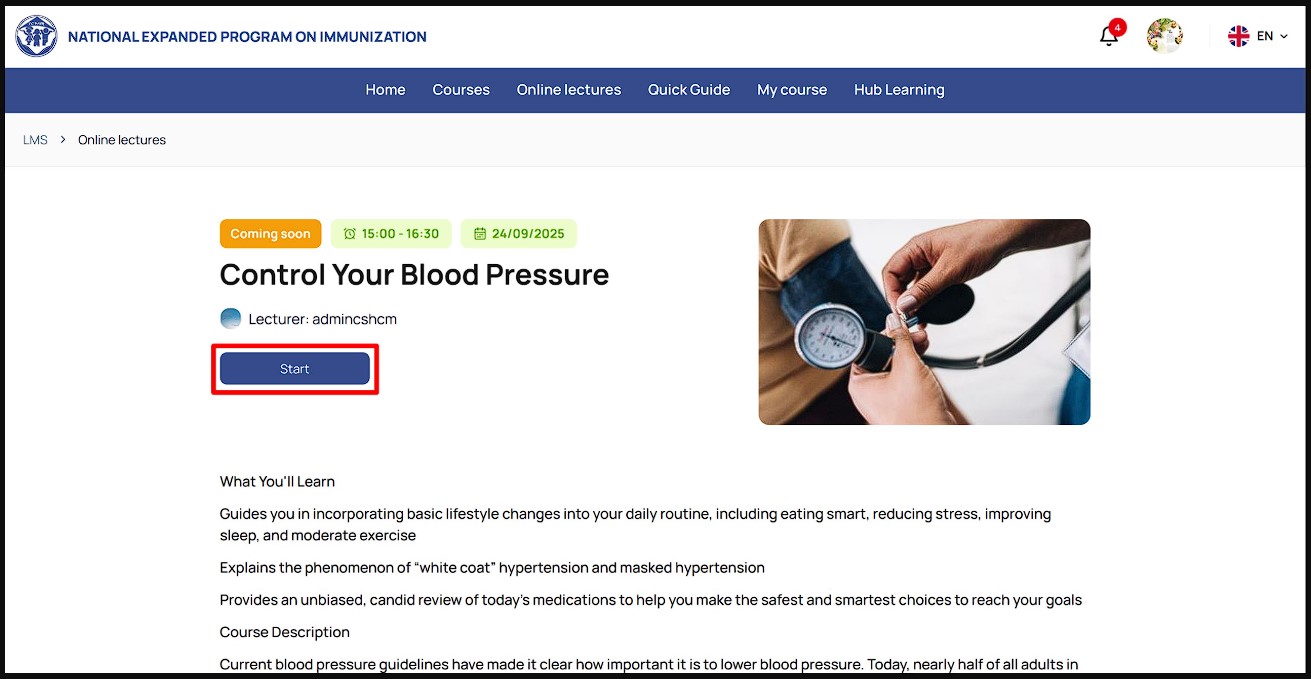
Click the name of the lecture you want to join.
Once you are on the lecture details page, click the Join button to start learning.
5. Track Your Learning Progress
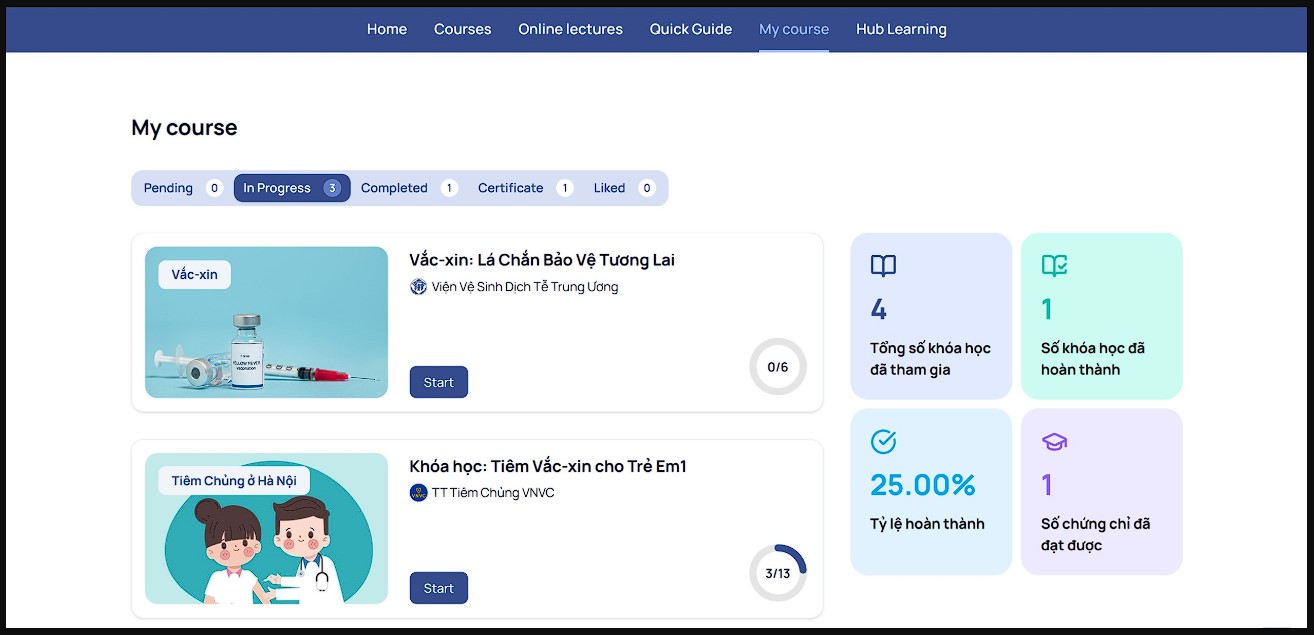
To track your learning progress, simply go to MY COURSES on the menu bar. From there, you'll be able to:
Access the courses you are currently taking
View completed courses
View and download your completion certificates
Check on courses that are pending approval
See your favorite courses

Copyright © 2025 LMS. All Rights Reserved.